What Is an Inkjet Printer and How Does It Work? A Practical Guide for Custom Printing Businesses
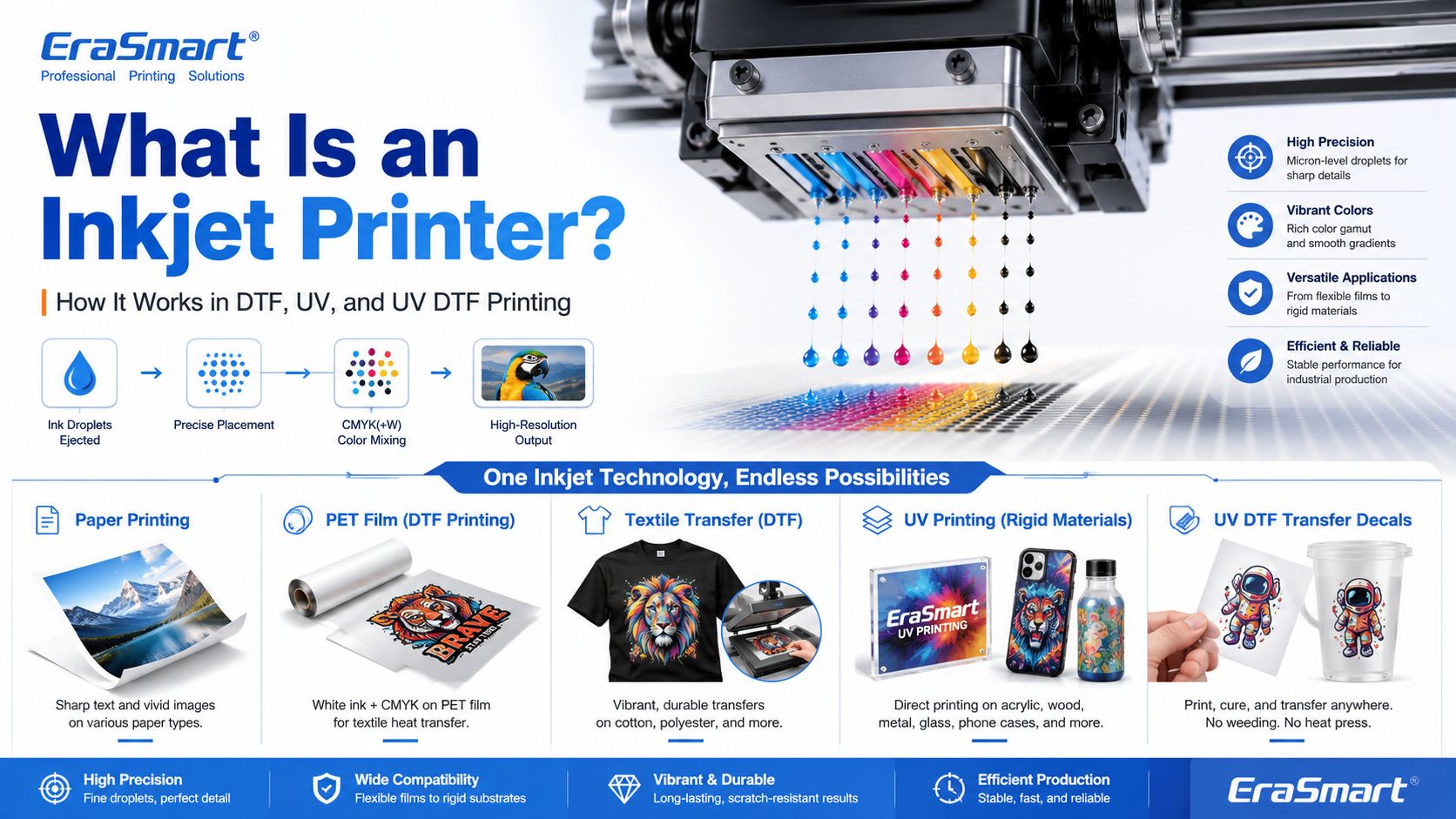
An inkjet printer is a digital printing device that creates images by ejecting tiny droplets of ink onto a surface. Instead of using plates, screens, or physical stencils, an inkjet printer receives digital image data and places controlled ink droplets in precise positions to form text, graphics, photos, labels, transfers, or product decoration. Most people first know inkjet printers from office or home photo printing. But inkjet technology is much broader than desktop paper printing. Today, inkjet systems are used in DTF printing, UV flatbed printing, UV DTF transfers, packaging samples, product labels, signage, promotional products, textile decoration, industrial marking, and custom product manufacturing. For EraSmart customers, this topic matters because many modern custom printing machines are built on inkjet principles. A DTF printer uses inkjet technology to print garment designs onto transfer film. A UV printer uses inkjet technology to print UV-curable ink directly onto rigid materials. A UV DTF printer uses inkjet printing to create hard-surface decals and transfers on A/B film. In simple terms, inkjet printing is the foundation. DTF, UV, and UV DTF are specialized business workflows built around that foundation.
Quick Answer: What Is an Inkjet Printer? An inkjet printer is a printer that sprays or ejects tiny droplets of liquid ink through microscopic nozzles to create a printed image. A basic inkjet printing system includes: digital artwork file RIP or printer control software ink supply system printhead microscopic nozzles movement system printable surface drying, curing, or transfer process The printhead is the key component. It controls where ink droplets land, how much ink is ejected, and how accurately the image is formed.
How Does an Inkjet Printer Work? Inkjet printing may look simple from the outside, but inside the printer there is a precise digital control process. A simplified workflow looks like this: The computer sends image data to the printer. The printer software processes the file into printable dot information. The printer moves the printhead or material into position. The printhead ejects tiny droplets of ink through nozzles. The droplets land on the target surface in controlled positions. The printer builds the image line by line or pass by pass. The ink dries, cures, absorbs, or transfers depending on the printing method. In an office inkjet printer, ink is usually printed onto paper and dries or absorbs into the paper surface. In an industrial or custom printing system, the process may be more specialized. For example, UV ink is cured by UV light, while DTF ink is printed onto PET film and later heat transferred onto fabric.
Main Components of an Inkjet Printer 1. Printhead The printhead is the most important part of an inkjet printer. It contains many tiny nozzles that eject ink droplets. The printhead determines much of the printer’s resolution, droplet control, speed, and print quality. In custom printing, printhead condition directly affects: sharpness color consistency line accuracy white ink quality nozzle stability production reliability maintenance requirements This is why printer maintenance is so important in DTF and UV printing. If the printhead nozzles are clogged or unstable, the final print may show banding, missing lines, weak colors, or poor detail. For apparel printing users, EraSmart’s DTF Printer Maintenance Guide is a useful resource for understanding why nozzle checks, cleaning, white ink circulation, and daily care matter.
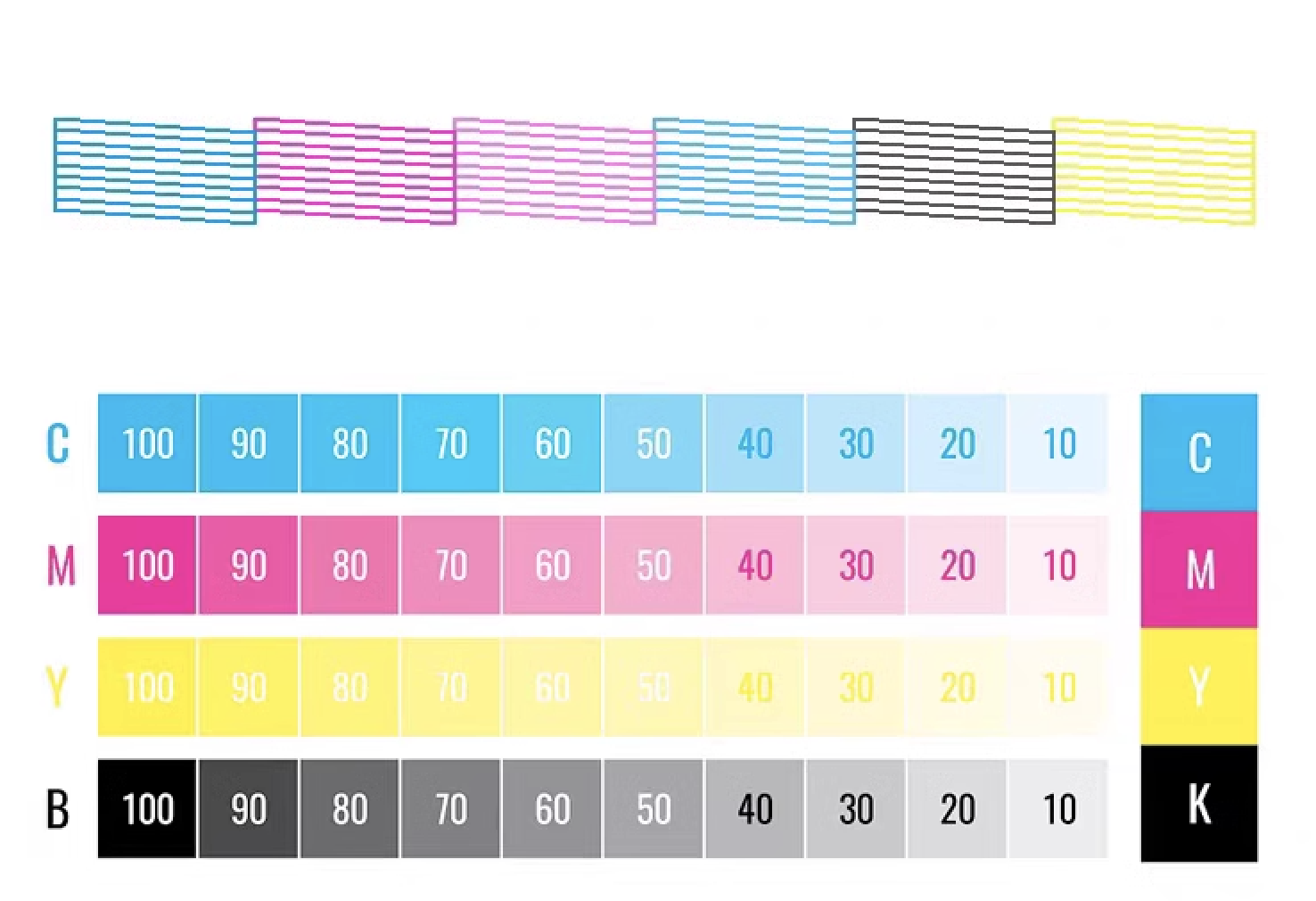
2. Ink System The ink system stores and delivers ink to the printhead. Different inkjet printers use different types of ink depending on the application. Common ink types include: dye ink pigment ink sublimation ink textile ink DTF ink UV-curable ink solvent or eco-solvent ink industrial marking ink For EraSmart customers, the most relevant ink systems are DTF ink, UV ink, white ink, and varnish. A DTF printer commonly uses CMYK ink plus white ink. The white ink helps designs appear clearly on dark garments. A UV printer may use CMYK, white ink, and varnish to print on hard surfaces such as acrylic, glass, metal, wood, plastic, leather, and packaging materials. If you want to understand how CMYK, white ink, and varnish work together in product customization, see EraSmart’s UV Ink Guide: CMYK, White Ink, and Varnish .
3. Nozzles Nozzles are microscopic openings in the printhead. They eject ink droplets in controlled patterns. Nozzle performance affects: print resolution detail clarity ink density color accuracy smooth gradients edge sharpness production stability Nozzles can become clogged if ink dries, settles, or becomes contaminated. This is especially important for white ink systems because white ink contains heavier pigment particles and needs proper circulation and maintenance.
4. Motion System Inkjet printers need accurate motion control. Either the printhead moves across the material, the material moves under the printhead, or both are coordinated. The motion system affects: print alignment image registration repeatability production speed print size accuracy multi-pass quality In UV flatbed printing, the platform and printhead movement must be stable so the image lands accurately on rigid objects. In DTF printing, film feeding must be smooth so the transfer image remains consistent.
5. RIP Software and Print Control RIP software converts artwork into printer-ready instructions. It controls color output, resolution, ink layering, white ink channels, varnish layers, print passes, and other production settings. For custom printing businesses, RIP setup is important because it affects: color performance white ink underbase image sharpness ink usage print speed material compatibility repeatability A good printer is only part of the system. Correct artwork preparation and RIP settings are also necessary for professional results.
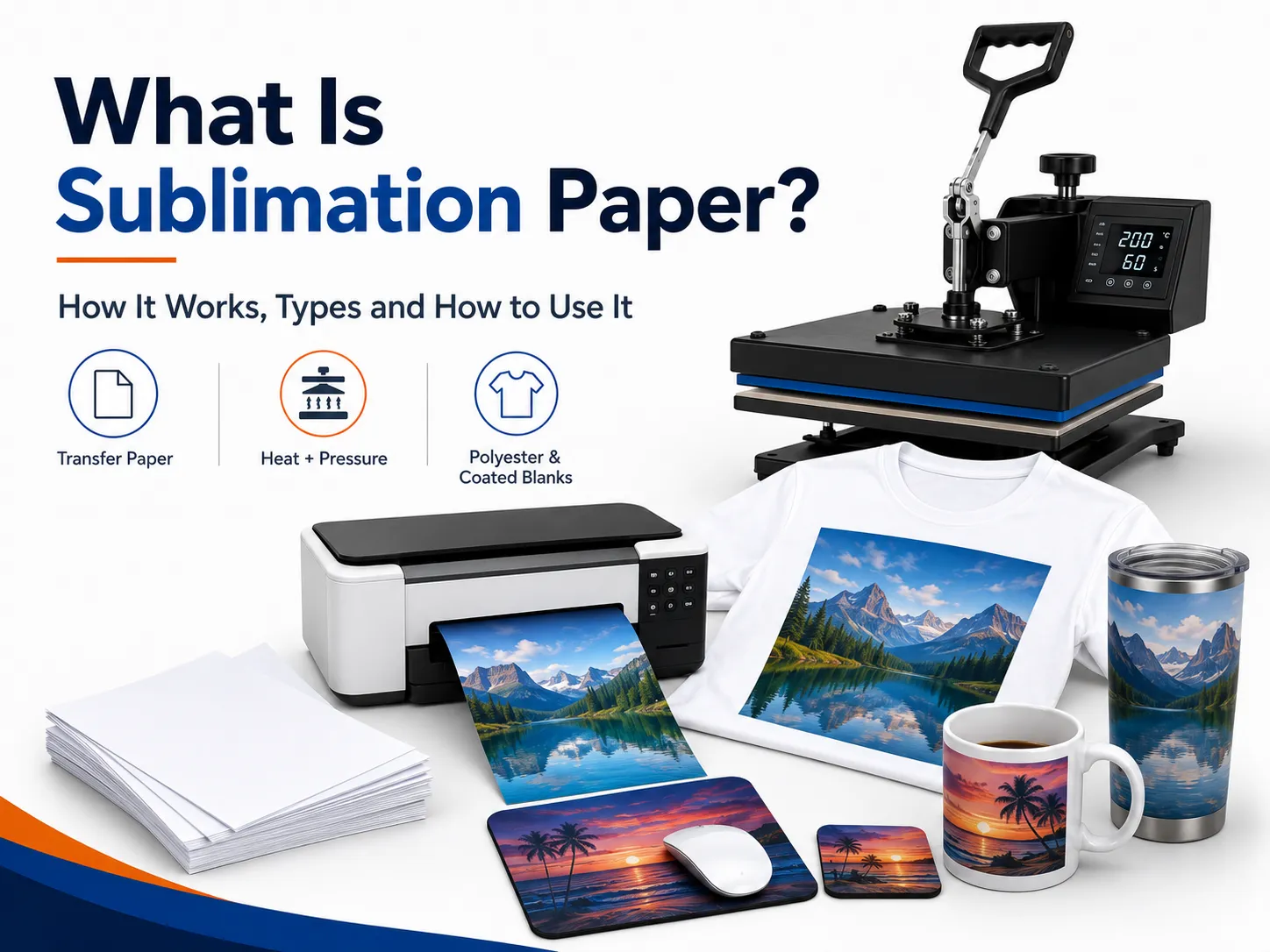
6. Drying, Curing, or Transfer System Inkjet printing is not finished when ink leaves the nozzle. The ink must also become stable on the final product. Different workflows use different finishing methods: Inkjet Workflow What Happens After Printing Office inkjet Ink dries or absorbs into paper DTF printing Powder is applied, cured, then heat pressed onto fabric UV printing UV light cures the ink almost instantly UV DTF printing UV ink is printed on film, laminated, then applied as a transfer Sublimation Printed transfer is heat pressed into polyester or coated blanks This is why inkjet technology can support many industries. The core droplet technology is similar, but the finishing process changes based on the product.
Thermal Inkjet vs Piezo Inkjet There are two major inkjet technologies: thermal inkjet and piezo inkjet. Thermal Inkjet Thermal inkjet uses heat to create a vapor bubble inside the ink chamber. The pressure from this bubble pushes a droplet of ink out of the nozzle. Thermal inkjet is common in many desktop and office printers. It can produce high-quality prints on paper, but the ink must be compatible with heat-based ejection. Piezo Inkjet Piezo inkjet uses a piezoelectric element that changes shape when voltage is applied. This mechanical movement creates pressure and ejects ink droplets through the nozzle. Piezo inkjet is widely used in many professional and industrial printing systems because it can work with a broader range of inks. Since the ink is not heated for ejection, piezo technology is suitable for inks that may not perform well in thermal systems, including many specialty inks used in industrial and custom printing. For DTF, UV, and UV DTF applications, piezo-style inkjet technology is especially important because these workflows require precise ink control and compatibility with specialized ink types.
Drop-on-Demand vs Continuous Inkjet Inkjet printing can also be divided by how ink is delivered. Drop-on-Demand Inkjet Drop-on-demand means ink droplets are ejected only when needed. This is common in many graphic and custom printing applications because it offers precise control and efficient ink use. DTF, UV, and UV DTF printers generally operate around controlled digital droplet placement, which is why they can reproduce detailed designs and full-color artwork. Continuous Inkjet Continuous inkjet ejects a continuous stream of ink droplets. Some droplets are directed to the surface, while others may be recycled. This method is often used in industrial coding and marking, such as printing dates, batch codes, and product identification on packaging lines. For EraSmart customers, drop-on-demand inkjet is the more relevant concept because custom apparel and product printing require accurate image reproduction rather than simple coding.
Inkjet Printing in DTF Printers A DTF printer is a specialized inkjet printer for garment transfer production. Instead of printing directly onto a shirt, it prints the design onto PET transfer film. The typical DTF process includes: Print CMYK and white ink onto PET film Apply hot-melt adhesive powder Cure the powder Heat press the transfer onto fabric Peel the film Finish press if needed This process is useful for custom apparel because it supports: full-color artwork dark garments small-batch orders personalized designs cotton, polyester, blends, and more print-on-demand production If you are interested in building an apparel business, EraSmart’s DTF Printer category includes different models for startups, small studios, growing shops, and higher-volume production. You can also read the DTF Production Workflow to understand the full process from artwork to finished garment.
Inkjet Printing in UV Printers A UV printer is another specialized inkjet system. Instead of using standard paper ink, it uses UV-curable ink. The printer ejects ink onto the material surface, and UV light cures the ink almost immediately. UV printing is suitable for many hard and semi-rigid materials, such as: acrylic glass metal wood plastic ceramic leather phone cases packaging samples promotional products The advantage of UV printing is direct-to-object customization. You can print full-color designs, white ink layers, and varnish effects on many product surfaces. EraSmart’s UV Printer category is designed for businesses that want to create custom gifts, signs, phone cases, packaging samples, acrylic products, and hard-surface promotional items. For material selection, see the UV Printer Materials Guide .
Inkjet Printing in UV DTF Printers UV DTF printing combines UV inkjet printing with a transfer workflow. The printer prints UV ink onto A film, laminates it with B film, and creates a transfer decal that can be applied to hard surfaces. UV DTF is useful for: stickers decals cup wraps bottle labels cosmetic packaging labels gadget skins glass decoration acrylic decals metal tags product branding Unlike textile DTF, UV DTF is mainly for hard-surface transfers, not garments. It is a good choice for businesses that want to sell premium stickers, decals, labels, and cup wraps. EraSmart’s UV DTF Printer is suitable for hard-surface transfer applications, while the A/B Film for UV DTF Printing guide explains how the film system works in the transfer process.
Why Inkjet Technology Is Important for Custom Printing Inkjet printing is important because it allows digital, flexible, short-run production. Unlike traditional methods that require screens, plates, or molds, inkjet printing can print directly from a digital file. This creates major advantages for custom businesses: lower setup barriers faster design changes easier personalization full-color printing short-run production lower inventory pressure product variety print-on-demand flexibility For example, a DTF apparel business can print different names, numbers, and graphics without preparing new screens. A UV printing business can print different logos on phone cases, acrylic signs, glass gifts, or packaging samples. A UV DTF business can produce custom decals and labels for many small brands. This is why inkjet technology is no longer only about office printing. It is now a core technology for modern customization businesses.
Advantages of Inkjet Printing 1. Digital Flexibility Inkjet printing works directly from digital files. This makes it easy to change designs, personalize products, and produce short runs. 2. Full-Color Output Inkjet printers can reproduce complex color images, gradients, photos, and illustrations. This is useful for apparel graphics, product decoration, stickers, and packaging samples. 3. Short-Run Production Inkjet does not require plates or screens, so it is suitable for low-MOQ custom orders and on-demand production. 4. Variable Data Printing Each print can be different. This is useful for names, numbers, QR codes, serialized labels, personalized gifts, and custom designs. 5. Wide Application Range Inkjet technology can be adapted to many surfaces and workflows, including paper, textiles, film, rigid materials, packaging, labels, and transfers. 6. Scalable Business Model A business can start with small orders and upgrade equipment as demand grows. This is why inkjet-based DTF, UV, and UV DTF systems are attractive to startups and growing shops.
Limitations of Inkjet Printing 1. Printhead Maintenance Is Important Inkjet printers need regular maintenance. If nozzles clog, print quality declines. This is especially important for white ink, UV ink, and other specialty ink systems. 2. Ink Compatibility Matters Not every ink works with every printhead or material. Ink viscosity, pigment size, curing method, and surface compatibility all matter. 3. Material Preparation May Be Needed Some surfaces need cleaning, primer, coating, or testing before printing. This is especially common in UV printing on glass, metal, plastic, and other hard materials. 4. Color Management Requires Testing Screen colors and printed colors are not always identical. Professional results require color profiles, test prints, correct RIP settings, and stable consumables. 5. Production Speed Depends on Quality Settings Higher resolution, more passes, white ink layers, and varnish effects may improve quality but increase printing time. 6. Workflow Control Matters In DTF printing, powdering, curing, and heat pressing affect durability. In UV DTF, lamination and application affect transfer quality. In UV printing, curing and adhesion affect final product quality.
Common Inkjet Printer Problems 1. Clogged Nozzles This is one of the most common inkjet problems. It can be caused by dried ink, settled pigment, poor maintenance, incompatible ink, or long idle time. 2. Banding Banding appears as unwanted horizontal or vertical lines. It can be caused by clogged nozzles, incorrect feed settings, poor calibration, or unstable ink flow. 3. Color Difference Colors may look different from the screen because of material surface, ink type, printer profile, white ink layer, or lighting conditions. 4. Poor Adhesion In UV printing, poor adhesion can happen if the surface is oily, dusty, incompatible, or not treated correctly. 5. Weak White Ink In DTF and UV printing, white ink must be managed carefully. Weak white ink can reduce color brightness, opacity, and dark-surface performance. 6. Ink Smearing or Poor Curing If ink is not dried, cured, or transferred correctly, the final product may smear, peel, crack, or lose durability.
How to Choose the Right Inkjet Printer for Your Business The right inkjet printer depends on what you want to sell. Choose a DTF Printer If You Want to Print Apparel Choose a DTF printer if your business focuses on: T-shirts hoodies tote bags uniforms sportswear fashion graphics dark garments small-batch custom apparel print-on-demand clothing For machine selection, read EraSmart’s How to Choose a DTF Printer and DTF Printer Buying Checklist .
• Small batch customization • Design testing • Low entry burden
Best for DIY Hobbyists & Personal Studios
If your goal is to start small, test the workflow, and handle personal customization or light commercial use, the most practical choice is a compact setup with manageable cost and simple daily operation. This type of machine works well for creators, first-time buyers, and personal studios that need a reliable entry point without jumping into larger A3 or A1 production equipment too early.
• Local custom orders • Small-batch apparel • Startup-friendly workflow
Best for Small Studios, New Brands, and Startup Shops
If you already have a business idea, take local custom orders, or run a small studio that needs more flexibility than A4 entry machines, moving into the A3 range usually creates a more practical commercial workflow. These models are better suited to startup brands, studio operators, and early-stage shops that want stronger output range without moving directly into higher-output industrial equipment.
• Design-rich graphics • Frequent new drops • Premium visual presentation
Best for E-commerce Entrepreneurs and Designer Studios
When your business depends on frequent design changes, color-rich artwork, detailed images, and faster online product testing, it makes sense to choose models that offer stronger image presentation and smoother commercial flexibility. This group is a strong fit for online sellers, designer-led brands, creative teams, and shops where visual presentation and new design launches are central to the business model.
• Daily orders • Better production rhythm • More stable commercial output
Best for Small Apparel Businesses and Steady Daily Production
Once your business moves beyond occasional orders and starts to depend on steadier daily output, it becomes more important to choose machines that support smoother workflow, stronger consistency, and a better production rhythm. This level is usually where buyers should stop thinking only about entry price and start thinking more seriously about output stability, workflow efficiency, and long-term operating practicality.
• Faster workflow • Lower manual burden • Better production continuity
Best for Shops Upgrading Toward More Automated Workflow
If your business is moving beyond basic manual production and wants a smoother, more production-ready process, it makes sense to consider models that support stronger workflow integration and higher throughput expectations. This direction is especially relevant for shops that already have steady orders and want to reduce production friction, improve repeatability, and prepare for larger daily operating volumes.
A3 MAX XP600 DTF Printer with Powder Shaker Machine
• Higher output goal • Wider printing width • Industrial production rhythm
Best for Large-Scale Manufacturing and Higher Output Teams
When your business needs wider print width, stronger output ceiling, and a more serious industrial production direction, the A1 series becomes the right category to evaluate. This level is better suited to businesses where output continuity and lower interruption cost are important operational priorities. Choose the printhead tier based on how aggressive your production target is and how much value you place on stronger productivity.
Choose a UV Printer If You Want to Print Hard Products Choose a UV printer if your business focuses on: phone cases acrylic plaques glass gifts metal signs wood products ceramic tiles packaging samples promotional products product decoration For material planning, read EraSmart’s UV Printer Materials Guide and How to Choose a UV Printe r .
Suitable for small-format custom products, samples, compact gifts, and users who want to start UV printing with a smaller footprint.
A practical option for phone cases, accessories, small acrylic products, personalized gifts, and small business production.
A stronger choice for users who need a larger platform, more product coverage, and more flexible small-batch production.
Suitable for larger signs, panels, custom boards, and production teams that need a wider print area and stronger scalability.
Designed for phone case customization and fast personalized product production with a more focused application path.
Better for UV DTF stickers, crystal labels, cup wraps, bottles, and hard-surface transfer decals.
Choose a UV DTF Printer If You Want to Print Decals and Transfers Choose a UV DTF printer if your business focuses on: stickers decals cup wraps labels cosmetic packaging transfers bottle decoration gadget skins hard-surface branding To understand the film workflow, read EraSmart’s A/B Film for UV DTF Printing .
EraSmart Buying Recommendation Inkjet printing is not one single business model. It is a technology foundation. The right machine depends on your target products. A simple buying direction looks like this: Business Goal Recommended EraSmart Direction Custom T-shirts, hoodies, apparel DTF Printer Acrylic, glass, metal, wood, phone cases UV Printer Stickers, cup wraps, labels, decals UV DTF Printer Apparel startup A4 / A3 DTF Printer Growing apparel shop A3 MAX DTF / shaker workflow Custom product studio A4 / A3 UV Printer Hard-surface transfer business A3 UV DTF Printer If your business is apparel-first, start with EraSmart’s DTF Printer lineup. If your business is hard-product customization, compare the UV Printer range. If your business is stickers, decals, labels, and cup wraps, start with the UV DTF Printer .
Final Answer: What Is an Inkjet Printer? An inkjet printer is a digital printer that creates images by ejecting tiny ink droplets through microscopic nozzles onto a surface. In basic office printing, that surface is usually paper. In custom printing, the surface may be PET film, transfer film, acrylic, glass, metal, wood, plastic, packaging board, fabric, or product blanks. The most important point is this: inkjet printing is not only for documents and photos. It is the core technology behind many modern custom printing systems, including DTF printers, UV printers, and UV DTF printers. For small businesses, inkjet technology makes it possible to print full-color designs, personalize products, produce short runs, reduce setup cost, and build flexible custom printing workflows.
Need help choosing the right inkjet-based printing system for your business? Share your target products, material type, print size, expected daily order volume, and budget range with EraSmart. Our team can help you choose the right DTF printer , UV printer , or UV DTF printer for your custom printing business.