Best Printer for Fine Art Prints: A Complete Buyer’s Guide for Artists and Custom Product Businesses
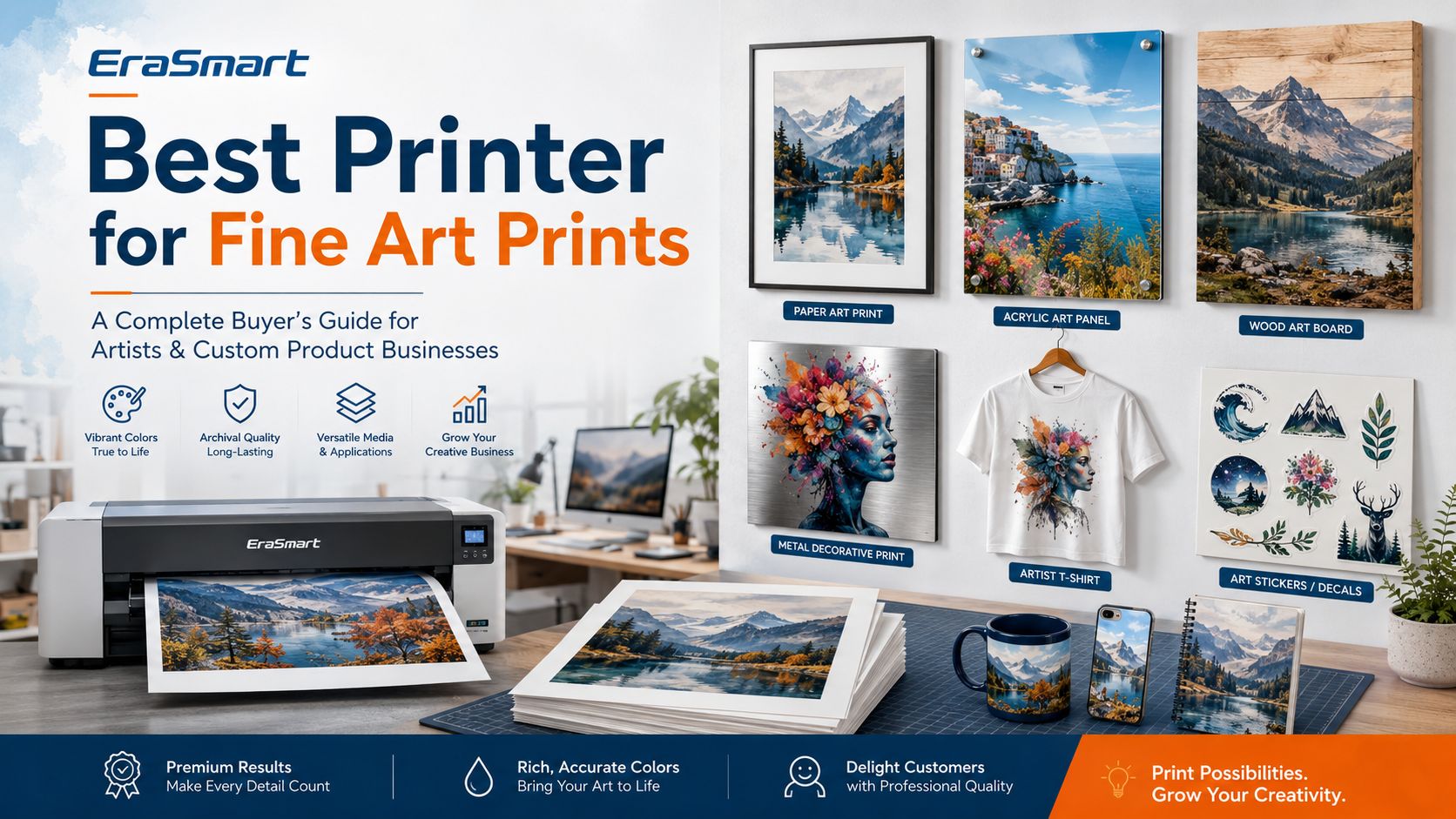
Choosing the best printer for fine art prints depends on what you mean by “fine art prints.” If your goal is to produce gallery-style paper reproductions for collectors, exhibitions, and archival sales, a professional pigment inkjet photo printer with fine art paper support is usually the right direction. Canon explains that pigment inks are commonly used for professional fine art papers because they support wider color performance, deeper tones, and longer-lasting output for exhibition and sale. However, if your goal is to turn artwork into sellable products, such as acrylic art panels, wood art boards, metal prints, phone cases, packaging art, wall décor, gift products, or art merchandise, then the best printer may not be a traditional paper fine art printer. In that case, a UV printer , UV DTF printer , or DTF printer may be more suitable for building a flexible art product business. This guide explains how to choose the right printer based on your product type, print surface, color expectation, durability requirement, business model, and budget.
What Is the Best Printer for Fine Art Prints? The best printer depends on the final product. Business Goal Best Printer Type Gallery-quality paper art prints Pigment inkjet photo printer Archival art reproductions on cotton paper Pigment inkjet printer with fine art paper support Acrylic art panels UV printer Wood art boards UV printer Metal art prints and decorative plates UV printer Phone cases with artist designs UV printer or UV DTF printer Art stickers, decals, and packaging labels UV DTF printer Artist T-shirts, hoodies, and tote bags DTF printer Short-run art merchandise UV printer + DTF printer + UV DTF printer High-value custom gift products UV printer or UV DTF printer The simple rule is this: choose a pigment inkjet printer for paper-based fine art reproductions; choose UV, UV DTF, or DTF printing when you want to turn artwork into physical products and merchandise.
What Is a Fine Art Print? A fine art print usually refers to a high-quality reproduction of an original artwork, photograph, illustration, or digital painting. It may be sold as a limited edition, open edition, gallery print, collector print, poster, or decorative product. Traditional fine art prints are often produced on: cotton rag paper
The NEDCC notes that fine art papers are often made from cotton rag or alpha-cellulose, and coated inkjet papers can improve image quality, brightness, color range, and ink stability. But today, artists are not limited to paper. Many artists and small businesses also sell: acrylic wall art
This is where EraSmart’s product-focused printing systems become more relevant.
Fine Art Paper Printer vs Product Printing Printer Before buying a printer, decide whether your business is based on paper prints or art products . Printer Direction Best For Main Advantage Pigment inkjet printer Gallery paper prints, archival reproductions Excellent color, paper compatibility, archival presentation UV printer Acrylic, wood, glass, metal, phone cases, rigid products Direct printing on hard surfaces UV DTF printer Stickers, decals, cup wraps, product labels Premium transfer decals for hard surfaces DTF printer T-shirts, hoodies, tote bags, apparel merch Full-color textile transfers for wearable products A traditional fine art paper printer is excellent for artists who sell framed prints. But if your goal is to build a broader custom product business, an EraSmart UV Printer can help turn artwork into acrylic panels, wood boards, metal plates, phone cases, and other rigid products.
Option 1: Pigment Inkjet Printer for Gallery-Style Fine Art Prints A pigment inkjet printer is usually the best choice for traditional fine art paper prints. It is designed for accurate color, smooth gradients, wide tonal range, and compatibility with professional photo and fine art papers. Choose this type of printer if you want to sell: gallery art prints
For this workflow, the most important factors are: pigment ink system
Canon’s fine art printing guidance highlights pigment ink as suitable for exhibition and selling artwork because of its color performance and long-lasting print quality. This is the right direction if your business is built around paper-based fine art reproduction.
Option 2: UV Printer for Acrylic, Wood, Metal, and Rigid Art Products If you want to print artwork directly onto hard surfaces, a UV printer is often a better business tool than a traditional paper printer. A UV printer uses UV-curable ink and UV light curing to print directly onto rigid or semi-rigid materials. EraSmart’s UV printer category is designed for materials such as metal, acrylic, glass, wood, plastic, ceramics, leather, and more, with instant curing and vivid high-resolution output. Choose an EraSmart UV Printer if you want to produce: acrylic art panels
This is a strong option for artists who want to sell physical art products instead of only paper prints.
Why UV Printing Works for Art Products UV printing is useful for fine-art-inspired products because it can print directly on many materials. This allows an artist or custom shop to build a wider catalog. For example, one artwork can become: an acrylic desk plaque
If you want to understand how UV printing works and what it can print on, EraSmart’s UV Printer Guide is a useful supporting article.
Option 3: UV Printer with White Ink and Varnish for Premium Art Effects For art products, CMYK color alone is not always enough. White ink and varnish can make printed products look more premium. White ink helps when printing on: transparent acrylic
This is especially useful for acrylic art, luxury gift products, packaging art, phone cases, and decorative panels. EraSmart’s UV Ink Guide: CMYK, White Ink, and Varnish explains how CMYK, white ink, and varnish layers work together in UV printing.
Option 4: UV DTF Printer for Art Stickers, Decals, and Product Labels If your art business focuses on stickers, decals, cup wraps, bottle labels, cosmetic labels, packaging labels, or small hard-surface transfers, a UV DTF printer may be the better choice. A UV DTF printer prints UV ink onto A film, laminates it with B film, and creates a transfer decal that can be applied to hard surfaces. EraSmart’s UV DTF offering is positioned around A3 / 350 mm width, CMYK + White + Varnish, powderless A/B film workflow, no oven, no heat press, and up to 1440 dpi output for decals and labels. Choose an EraSmart UV DTF Printer if you want to sell: art stickers
This is a good direction for artists who want to sell smaller, lightweight products online.
UV DTF vs UV Printer for Art Products Factor UV Printer UV DTF Printer Workflow Prints directly onto product Prints decal first, then applies to product Best for Flat rigid products Stickers, labels, decals, cup wraps Surface shape Best on flat or fixtured products Easier for curved or irregular hard surfaces Product examples Acrylic panels, wood boards, metal plates, phone cases Bottles, cups, packaging, jars, gadget skins Setup need Product positioning and fixture may matter Decal application skill matters Business model Finished custom products Decals, labels, and transfer products For a complete comparison, read EraSmart’s UV DTF Printer vs UV Printer guide.
Option 5: DTF Printer for Artist Apparel and Merchandise If you are an artist who wants to sell wearable products, a DTF printer is usually more suitable than a UV printer. DTF printing is designed for textile transfers. It prints artwork onto PET film, applies hot-melt powder, cures the transfer, and heat presses it onto garments. EraSmart’s DTF printer page highlights use on cotton, silk, polyester, denim, leather, nylon, blends, and dark-colored garments, with a print-add-powder-press workflow. Choose an EraSmart DTF Printer if you want to sell: artist T-shirts
If your artwork has strong characters, bold graphics, colorful illustrations, or social-media appeal, DTF can help turn that artwork into wearable products. For apparel production planning, see EraSmart’s DTF Production Workflow and How to Choose a DTF Printer .
Best Printer Types by Art Business Model Art Business Model Recommended Printer Photographer selling gallery prints Pigment inkjet printer Illustrator selling paper prints Pigment inkjet printer Artist selling acrylic wall art UV printer Gift shop selling art plaques UV printer Sticker artist selling premium decals UV DTF printer Artist selling T-shirts and tote bags DTF printer Brand selling art phone cases UV printer or UV DTF printer Candle or cosmetic brand using art labels UV DTF printer Local shop selling personalized art gifts UV printer Multi-product art merchandise business UV printer + DTF printer + UV DTF printer The best choice depends less on the word “art” and more on the product you plan to sell.
What Size Printer Do You Need? Printer size should match your product size and business stage. For paper fine art prints, size usually depends on the largest print you plan to sell: A4 / letter size for small prints
17-inch class for larger collector prints
24-inch and above for studio or gallery production
For product printing, size depends on the physical object: small UV printers for phone cases, tags, small gifts
A3 UV printers for acrylic panels, plaques, packaging samples
larger UV printers for bigger signs and art boards
A3 UV DTF printers for stickers, labels, cup wraps, and decals
A3 DTF printers for apparel and tote bag transfers
EraSmart’s UV Printer Guide recommends choosing a UV printer based on product category, material size, print effect, daily volume, and maintenance capability.
What Print Quality Should You Look For? Fine art buyers care about detail, color, and surface quality. Product buyers care about visual impact, durability, and finish. Important print quality factors include: resolution
For paper art prints, color profile and paper choice are critical. For UV art products, material preparation and ink layer setup matter. For UV DTF decals, film quality and lamination matter. For DTF apparel, powder curing and heat press settings matter.
Pigment Ink vs UV Ink vs DTF Ink Ink Type Best For Main Strength Pigment ink Paper fine art prints Archival-style paper reproduction UV ink Hard product printing Direct printing on rigid surfaces DTF ink Textile transfers Apparel and fabric merchandise UV DTF ink Hard-surface decals Stickers, labels, cup wraps, transfers Do not choose ink only by color brightness. Choose ink based on the final product surface and business model.
Best Fine Art Products to Sell with EraSmart Workflows If you are an artist, designer, illustrator, or custom product business, EraSmart workflows can help you expand beyond paper prints. 1. Acrylic Art Panels Acrylic prints can look modern and premium. They are suitable for desk décor, wall art, awards, brand displays, wedding gifts, and collector-style products. Best workflow: UV Printer 2. Wood Art Boards Wood art products have a warm handmade feel. They work well for home décor, rustic signs, café art, wedding signs, and personalized gifts. Best workflow: UV Printer 3. Metal Art Plates Metal prints can be used for modern wall décor, nameplates, brand art, signage, and premium gift products. Best workflow: UV Printer 4. Phone Cases and Gadget Art Artists can turn illustrations into phone cases, laptop skins, power bank designs, and small tech accessories. Best workflow: UV Printer or UV DTF Printer 5. Art Stickers and Decals Stickers and decals are easy to sell online and easy to ship. UV DTF can create premium decals with gloss, white ink, and raised effects. Best workflow: UV DTF Printer 6. Artist Apparel T-shirts, hoodies, and tote bags are strong products for artists with bold graphics, characters, streetwear concepts, or fan communities. Best workflow: DTF Printer 7. Packaging and Brand Art Small brands often need short-run packaging labels, candle jar labels, cosmetic labels, and gift box decals. Best workflow: UV DTF Printer
Common Mistakes When Choosing a Fine Art Printer Mistake 1: Thinking One Printer Can Do Every Art Product A paper fine art printer is not the same as a UV printer, DTF printer, or UV DTF printer. Choose based on the final product. Mistake 2: Buying by Maximum DPI Alone High DPI does not guarantee professional results. Artwork quality, ink type, material, color management, and workflow control all matter. Mistake 3: Ignoring Media Compatibility Paper, acrylic, wood, metal, glass, film, and fabric all require different printing workflows. Mistake 4: Choosing a Paper Printer for Hard Products A paper printer is excellent for art prints, but it will not print directly onto acrylic, wood, metal, or phone cases. Mistake 5: Choosing UV Printing for Garments UV printing is not the right primary method for T-shirts. For apparel, choose textile DTF. EraSmart’s DTF Printer lineup is the better direction for garments. Mistake 6: Ignoring Maintenance and Consumables All professional printers need maintenance. Ink, film, paper, powder, varnish, and cleaning routines affect the final result.
How to Choose the Best Printer for Your Art Business Before buying a printer, answer these questions: 1. What Product Will You Sell First? Do not start with “I want to print art.” Start with the product: paper prints
The product determines the printer. 2. Who Is Your Customer? Collectors may prefer paper prints. Gift buyers may prefer acrylic or wood products. Online fans may prefer stickers and apparel. Small brands may need packaging decals. 3. What Size Do You Need? Choose printer size based on your most common product size, not only your largest dream project. 4. Do You Need White Ink or Varnish? For transparent, dark, or colored surfaces, white ink is often important. For premium products, varnish can increase value. 5. How Much Space Do You Have? A small studio may be better with compact UV, DTF, or UV DTF equipment. Larger machines require more space, ventilation, storage, and workflow planning. 6. What Is Your Daily Order Volume? A beginner does not always need the largest machine. Start with a system that fits real orders and can scale later. 7. Do You Need Product Flexibility? If you want to sell many types of art merchandise, consider combining workflows over time.
EraSmart Buying Recommendation If your business is focused on traditional gallery paper prints, choose a professional pigment inkjet printer with fine art paper support. If your business wants to print artwork directly onto rigid products such as acrylic, wood, metal, glass, phone cases, and decorative panels, choose an EraSmart UV Printer . If your business wants to sell premium art stickers, decals, cup wraps, labels, and packaging transfers, choose an EraSmart UV DTF Printer . If your business wants to sell artist T-shirts, hoodies, tote bags, and wearable merchandise, choose an EraSmart DTF Printer . If you want to compare UV DTF, textile DTF, and UV flatbed printing, read EraSmart’s UV DTF vs Textile DTF vs UV Flatbed guide before making a final decision.
Final Answer: What Is the Best Printer for Fine Art Prints? For traditional gallery-style fine art paper prints, the best choice is usually a professional pigment inkjet printer paired with suitable fine art paper and color management. For custom art products, the best printer depends on the surface: Use a UV printer for acrylic, wood, metal, glass, phone cases, and rigid art products.
Use a UV DTF printer for stickers, decals, labels, cup wraps, and hard-surface transfers.
Use a DTF printer for T-shirts, hoodies, tote bags, and artist apparel.
Use a pigment inkjet printer for archival-style paper reproductions.
The best printer is not the one with the biggest specification sheet. It is the printer that matches your art product, customer expectation, production workflow, and profit model. Need help turning your artwork into sellable products? Share your target products, material type, print size, expected order volume, and budget range with EraSmart. Our team can help you choose the right UV Printer , UV DTF Printer , or DTF Printer for your fine art product business.
A3 MAX XP600 DTF Printer with Powder Shaker Machine
A production-ready solution designed for shops that need higher throughput and a more automated workflow.
A practical choice for startups and small studios that want reliable output without over-investing.
Balanced performance for print shops that need speed + stable output in an A3 footprint.
Designed for users who prioritize fine detail, smooth gradients, and premium print feel.
A dependable A3 model for steady daily output, popular for small-business production routines.
Compact entry-level model perfect for startups and small batch production.
Enhanced A4 model with improved ink efficiency for daily small-scale production.
A3 format printer with reliable R1390 motherboard for medium production.
Standard A3 model with 250ml ink tanks for consistent daily operation.
L1800 print head model offering superior color reproduction for detailed designs.
A3 Max series with XP600 print head for increased speed and efficiency.
High-performance A3 model with DX7 print head for professional results.
High-performance A3 model with XP600 print head for professional results.
Professional dual print head A3 printer for high-volume production.
Industrial wide-format printer with dual XP600 heads (620mm width).
High-speed industrial model with dual I1600 heads (10㎡/h output).
Premium industrial printer with dual I3200 heads for maximum productivity.