What You Should Know About UV DTF Printers Before Starting a Custom Decal Business
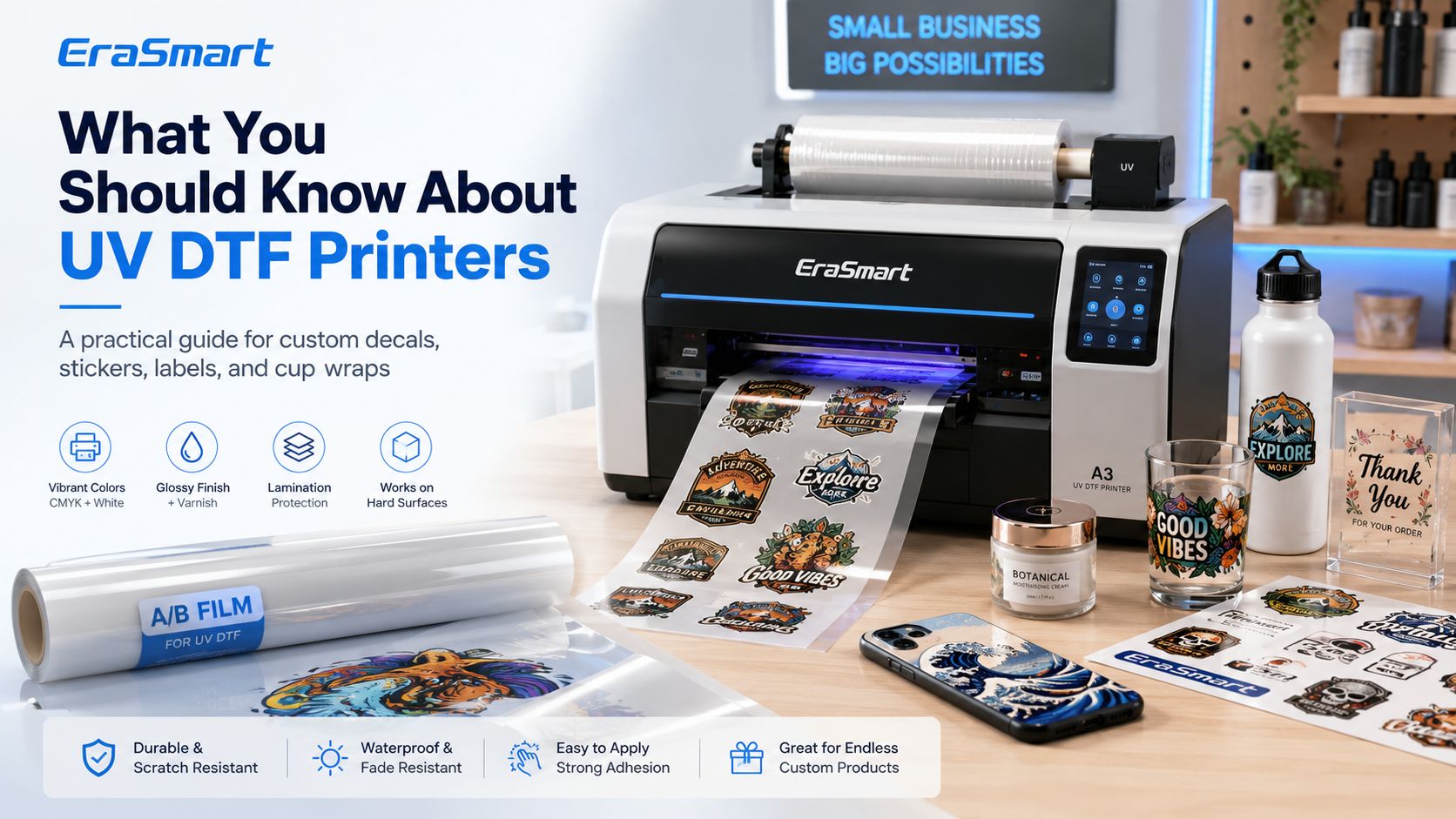
UV DTF printing has become one of the most attractive production methods for small businesses that want to create premium stickers, decals, labels, cup wraps, bottle graphics, cosmetic packaging labels, gadget skins, and hard-surface transfers. Unlike a UV flatbed printer, a UV DTF printer does not print directly onto every product. Instead, it prints the design onto a special transfer film, laminates it with another film, and creates a ready-to-apply decal. This decal can then be transferred onto many hard surfaces such as glass, acrylic, metal, plastic, wood, ceramic, phone cases, bottles, cups, packaging, and promotional products. For businesses that want to sell high-value customized products without building fixtures for every item shape, UV DTF is a very practical workflow. It allows you to print the design first, store or cut the transfer, and apply it later to different product surfaces. If you are comparing UV DTF with other printing technologies, EraSmart’s guide on UV DTF vs Textile DTF vs UV Flatbed is a useful starting point. It explains why UV DTF is mainly for hard-surface decals, textile DTF is for garments, and UV flatbed printing is for direct-to-object rigid product decoration.
What Is a UV DTF Printer? A UV DTF printer is a digital printing machine that uses UV-curable ink to print designs onto transfer film. After printing, the design is laminated and transferred onto the product surface. UV DTF means UV Direct to Film . However, it is very different from textile DTF printing for T-shirts. Textile DTF usually prints onto PET film, uses hot-melt adhesive powder, cures the powder, and transfers the design onto fabric with a heat press. UV DTF uses UV ink, A/B film, and lamination to create hard-surface decals. It is designed for products such as stickers, labels, cup wraps, glass decals, cosmetic packaging, acrylic labels, metal tags, phone skins, and premium gift decoration. In simple terms: Textile DTF is for garments and fabrics.
UV flatbed printing is for direct printing on rigid products.
UV DTF printing is for hard-surface transfer decals.
If your business focuses on T-shirts, hoodies, uniforms, or sportswear, start with an EraSmart DTF Printer . If your business focuses on decals, stickers, labels, and cup wraps, an EraSmart UV DTF Printer is usually the better fit.
How Does UV DTF Printing Work? UV DTF printing uses an A/B film workflow. The printer prints the design onto Film A, then Film B is laminated over the printed design. After trimming or cutting, the transfer can be applied to a hard surface. A standard UV DTF workflow includes: Prepare the artwork
Set CMYK, white ink, and varnish layers in RIP software
UV LED light cures the ink during printing
For a deeper explanation of the film system, see EraSmart’s A/B Film for UV DTF Printing guide. It explains how Film A and Film B work together, why lamination matters, and what problems can happen if the surface is dusty, oily, humid, or poorly prepared.
What Can You Make with a UV DTF Printer? A UV DTF printer is especially useful for hard-surface customization. It is not limited to one product category, which makes it attractive for small businesses and custom product studios. Common UV DTF products include: premium stickers
EraSmart’s UV DTF Printer for Stickers page is a useful reference if your business wants to focus on premium stickers, labels, small typography, QR codes, logo decals, and brand packaging applications. If your business direction is drinkware, tumblers, mugs, glass cups, or bottles, EraSmart’s UV DTF Printer for Cup Wraps is more closely aligned with that application.
Why UV DTF Printing Is Popular for Small Businesses 1. It Reduces Direct Printing Difficulty Traditional UV flatbed printing is excellent for direct-to-object production, but some products are difficult to fixture. Curved surfaces, irregular shapes, small objects, and multiple SKU variations can slow down production. UV DTF helps solve this problem because you print the decal first and apply it later. This reduces the need to position every product perfectly on the print bed. This is useful for: bottles
If you want to compare direct UV printing with transfer-style UV DTF, EraSmart’s UV DTF Printer vs UV Printer guide explains the difference between direct printing and decal transfer workflows.
2. It Supports Premium Visual Effects A UV DTF printer can use CMYK, white ink, and varnish. This allows businesses to create decals with strong color, opacity, gloss, spot varnish, and raised effects. This is important because UV DTF products are often sold as premium decals, not basic stickers. White ink helps the design look strong on transparent, dark, or colored surfaces. Varnish can add gloss and texture, making the decal look more like a premium factory-applied label. This is especially valuable for: cosmetic packaging
If you want to understand why CMYK, white ink, and varnish matter in product decoration, see EraSmart’s UV Ink Guide: CMYK, White Ink, and Varnish .
3. It Is Suitable for Short-Run Branding Many small brands need low-MOQ branding products. They may not want thousands of printed labels. They may need only 20, 50, or 100 premium decals for a product launch, gift box, candle jar, cosmetic bottle, or event package. UV DTF is useful because it can support short-run production without traditional plate-making, screen setup, or large order requirements. This makes UV DTF suitable for: handmade brands
UV DTF helps these businesses create professional-looking branded products at smaller quantities.
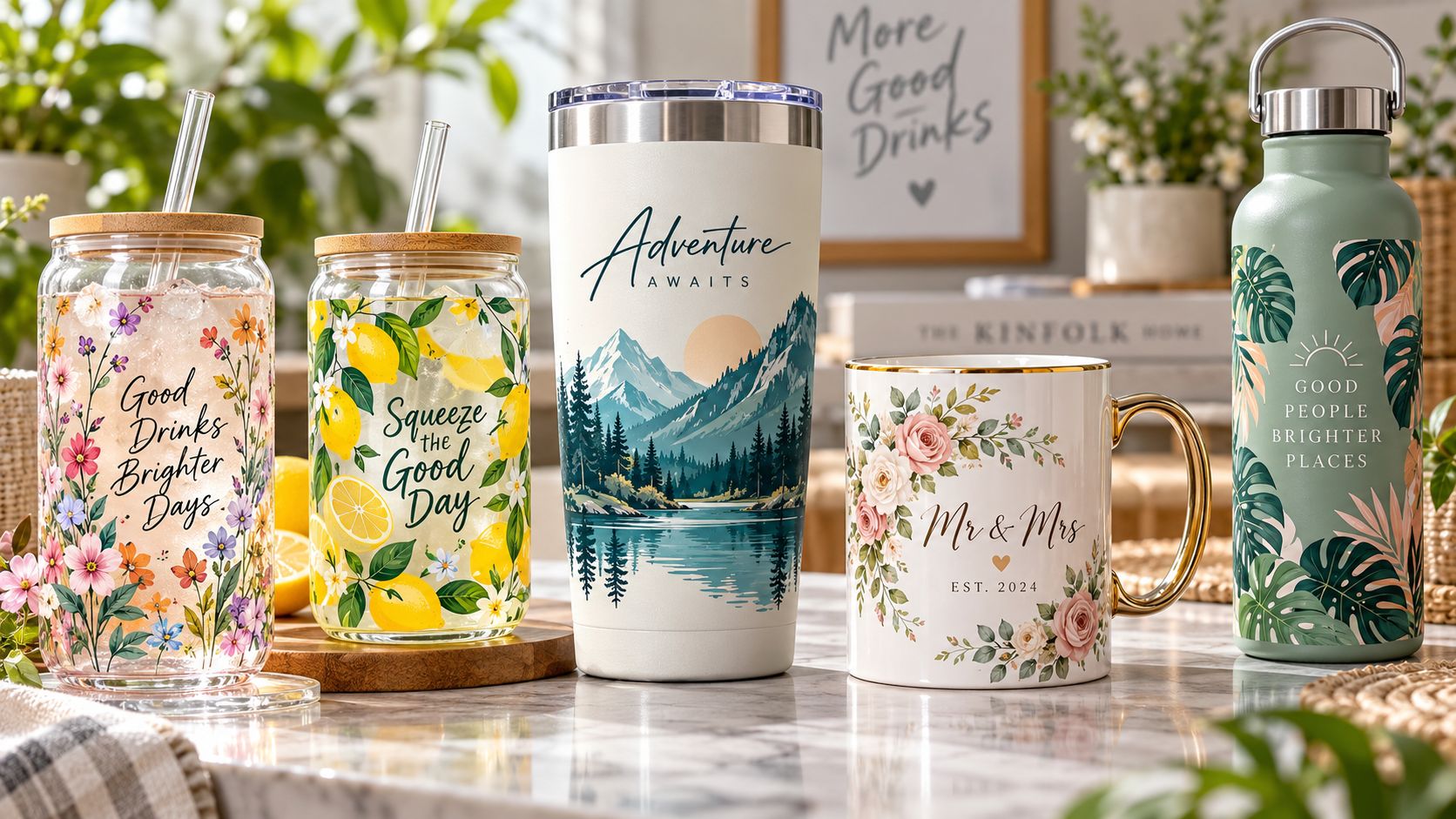
4. It Works Well for Cup Wraps and Drinkware Cup wraps are one of the most popular UV DTF applications. Tumblers, mugs, glass cups, coffee cups, water bottles, and drinkware products are highly suitable for personalized and seasonal decoration. A UV DTF cup wrap can be printed first, stored flat, and applied later to the cup or bottle. This helps businesses offer many designs without printing directly onto every cup. Popular cup wrap design ideas include: name designs
If drinkware is your target market, start with EraSmart’s UV DTF Printer for Cup Wraps to understand the machine direction and application fit.
5. It Can Help Expand an Existing Custom Product Business UV DTF does not have to replace your existing workflow. It can complement UV flatbed printing, DTF apparel printing, sticker production, packaging work, and gift customization. For example: A DTF apparel shop can add UV DTF decals for bottles, mugs, and gift packaging.
A UV flatbed shop can use UV DTF for curved or irregular products.
A sticker business can add premium crystal-label style decals.
A gift shop can create personalized hard-surface transfers.
A packaging studio can produce short-run premium labels.
This is why many businesses treat UV DTF as an expansion tool. It opens new product categories without forcing the business to abandon existing equipment.
UV DTF Printer vs UV Printer: What Is the Difference? A UV printer and a UV DTF printer both use UV-curable ink, but the workflow and best applications are different. Factor UV DTF Printer UV Printer Main workflow Print on film, laminate, transfer to product Print directly onto the product Best use Stickers, decals, labels, cup wraps, hard-surface transfers Acrylic, glass, metal, wood, phone cases, panels, signs Surface requirement Best on clean, smooth hard surfaces Best on flat or properly fixtured products Curved products Good for many decal-style applications Requires rotary fixture or special setup Fixture requirement Lower for many small products Higher for direct printing accuracy Production style Decal-first workflow Direct-to-object workflow Typical buyer Sticker, label, cup wrap, packaging, gift business Product customization, signage, acrylic, phone case business If your business wants to print directly on acrylic, glass, metal, wood, and phone cases, compare EraSmart’s UV Printer range. If your business wants to produce decals, labels, cup wraps, and hard-surface transfers, start with the EraSmart UV DTF Printer .
UV DTF Printer vs Textile DTF Printer This is one of the most common points of confusion. A textile DTF printer is mainly for garments. It prints on PET film, uses hot-melt powder, and transfers the design to fabric with a heat press. A UV DTF printer is mainly for hard surfaces. It uses UV ink, A/B film, and lamination to create decals that are applied to products such as glass, acrylic, plastic, metal, wood, bottles, and packaging. Factor UV DTF Printer Textile DTF Printer Main product Hard-surface decals Garment transfers Film type A/B UV DTF film PET DTF film Powder No hot-melt powder Uses hot-melt adhesive powder Heat press Usually no heat press for standard decal application Required for garment transfer Best applications Stickers, labels, cup wraps, product decals T-shirts, hoodies, uniforms, sportswear Ink type UV-curable ink Textile DTF ink Varnish Commonly used Not standard Best buyer Hard goods customization business Apparel printing business If your business is apparel-first, choose an EraSmart DTF Printer . If your business is sticker, label, and hard-surface transfer focused, choose an EraSmart UV DTF Printer .
What Makes the EraSmart A3 UV DTF Printer Practical? The EraSmart A3 UV DTF Printer is designed for small businesses that want a compact but professional UV DTF production workflow. Key advantages include: A3 / 350 mm print width
No oven or heat press required for standard decal application
Suitable for stickers, labels, cup wraps, and gadget skins
RIP support for layer setup and color management
This makes the machine suitable for businesses that want to create high-value decals without investing in a large industrial production line. You can explore the model details on the EraSmart UV DTF Printer page.
What Materials Can UV DTF Decals Be Applied To? UV DTF decals work best on clean, smooth, hard surfaces. The final result depends on material type, surface condition, application pressure, lamination quality, and peel technique. Common surfaces include: glass
Before accepting a large order, always test the target material. Dust, oil, moisture, texture, and low-surface-energy plastics can affect adhesion. For more hard-surface product ideas, EraSmart’s UV Printer Materials Guide can also help you understand how different substrates behave in UV-related workflows.
Common UV DTF Applications 1. Stickers and Crystal Labels UV DTF stickers can look more premium than basic flat stickers because they can include white ink and varnish. They are suitable for logos, product branding, QR codes, packaging decoration, and limited-edition labels. If your business is sticker-focused, see EraSmart’s UV DTF Printer for Stickers . 2. Cup Wraps Cup wraps are popular for tumblers, mugs, glass cups, bottles, coffee cups, and seasonal drinkware. UV DTF allows small businesses to sell many designs without printing directly on every cup. For this application, see EraSmart’s UV DTF Printer for Cup Wraps . 3. Cosmetic Packaging Labels Cosmetic brands often need premium labels for jars, bottles, tubes, and boxes. UV DTF can create glossy, raised, professional-looking labels for short-run product launches and boutique packaging. 4. Candle Jar and Gift Labels Handmade candle brands, soap brands, perfume brands, and gift sellers can use UV DTF decals to upgrade packaging appearance without large minimum order requirements. 5. Gadget Skins and Phone Accessories UV DTF is useful for laptop skins, phone case decals, controller graphics, power bank branding, and small tech accessories. It supports colorful, durable, short-run customization. 6. Promotional Product Branding Businesses can create custom logos for bottles, boxes, acrylic items, giveaways, event merchandise, and corporate gift products.
Common Mistakes When Buying a UV DTF Printer Mistake 1: Thinking UV DTF Is for T-Shirts UV DTF is not the correct primary method for garment printing. For T-shirts and hoodies, choose textile DTF. UV DTF is mainly for hard-surface decals. Mistake 2: Buying Only by Machine Price The cheapest machine is not always the best business choice. You should also consider print width, ink channels, lamination workflow, software support, maintenance, consumables, and after-sales service. Mistake 3: Ignoring White Ink and Varnish For premium decals, CMYK alone is often not enough. White ink supports opacity, while varnish adds gloss and texture. If you want higher-value labels and decals, CMYK + White + Varnish is important. Mistake 4: Underestimating Lamination Quality UV DTF repeatability depends heavily on lamination. Poor lamination pressure, dust, humidity, or film mismatch can affect transfer quality. Mistake 5: Not Testing Materials Not every surface behaves the same. Always test adhesion, appearance, scratch resistance, and peel quality before accepting volume orders. Mistake 6: Selling UV DTF as a Cheap Sticker UV DTF should be positioned as a premium decal solution, not only a low-cost sticker. Its value comes from color, opacity, gloss, texture, durability, and product compatibility.
How to Choose a UV DTF Printer Before buying a UV DTF printer, ask these questions: 1. What Products Do You Want to Sell? If you mainly want to sell cup wraps, stickers, labels, and product decals, UV DTF is a good fit. If you mainly want to print T-shirts, choose textile DTF. If you mainly want to print directly on acrylic, glass, or wood panels, choose UV flatbed. 2. What Print Width Do You Need? A3 / 350 mm width is practical for many small-business products, including stickers, labels, cup wraps, packaging decals, gadget skins, and short-run branding jobs. 3. Do You Need White Ink and Varnish? For premium results, choose a machine with CMYK + White + Varnish. This helps improve opacity, gloss, texture, and product value. 4. Is Lamination Integrated or Separate? An integrated or simplified lamination workflow can reduce handling time and improve consistency. 5. What Support Does the Supplier Provide? UV DTF is a workflow, not only a printer. Supplier support should include machine setup, RIP guidance, ink layer setup, consumables, troubleshooting, and application advice. 6. What Is Your Production Volume? A small studio may need a compact A3 setup. A larger shop may need a more automated workflow, better media handling, and stronger daily output capacity. If you are at the decision stage, EraSmart’s Best UV DTF Printer for Small Business guide explains practical buying factors such as print width, lamination, white ink, varnish, application range, and workflow stability.
How to Build a UV DTF Business Step 1: Choose a Product Niche Start with a focused product line instead of trying to sell everything. Good niches include: cup wraps
Step 2: Create Sample Packs Customers need to see and feel UV DTF quality. Create sample packs with different finishes, surfaces, sizes, and applications. Step 3: Build Design Templates Templates help you produce faster. Create standard layouts for cups, bottles, labels, jars, boxes, and gadget skins. Step 4: Test Application Surfaces Before selling a new product, test adhesion, scratch resistance, peel quality, and final appearance. Step 5: Position UV DTF as Premium Do not compete only on price. Sell UV DTF based on: gloss
Step 6: Expand into B2B Customers UV DTF is useful for small brands and businesses. Target: candle brands
These customers may place repeat orders if your quality and delivery are stable.
Maintenance and Workflow Tips A UV DTF printer needs routine care and stable operation. To keep production consistent: keep the printer clean
avoid exposing ink to strong light or heat
maintain the printhead and capping system
clean product surfaces before application
avoid oily or textured surfaces without testing
Good workflow control reduces waste and improves customer satisfaction.
Is a UV DTF Printer Worth It? A UV DTF printer is worth considering if your business wants to sell premium hard-surface decals, cup wraps, labels, stickers, product branding, and short-run custom transfers. It is especially suitable for: small print shops
It may not be the best choice if your business focuses mainly on T-shirts, fabric items, or direct printing on large flat panels. In that case, textile DTF or UV flatbed may be better.
EraSmart Buying Recommendation Choose an EraSmart UV DTF Printer if your business wants to create stickers, labels, cup wraps, decals, gadget skins, and premium hard-surface transfers. Choose an EraSmart UV Printer if your business wants to print directly on acrylic, glass, metal, wood, phone cases, signage, and rigid products. Choose an EraSmart DTF Printer if your business focuses on apparel such as T-shirts, hoodies, uniforms, sportswear, and tote bags. If your business wants to cover both hard-surface products and apparel, you may eventually use UV DTF together with textile DTF or UV flatbed printing. These workflows can complement each other and help you build a broader custom product business.
Final Answer: What Should You Know About UV DTF Printers? A UV DTF printer is a specialized digital printing system for creating premium hard-surface transfers. It uses UV ink, A/B film, and lamination to produce decals that can be applied to glass, acrylic, metal, plastic, wood, ceramic, bottles, cups, packaging, and product surfaces. Its main strengths are: premium decal appearance
good for stickers, labels, cup wraps, and hard goods
useful for short-run branding and customization
lower fixturing difficulty than direct object printing
Its main limitations are: not suitable as the primary method for T-shirts
works best on clean, smooth hard surfaces
should be positioned as a premium decal workflow, not a cheap sticker process
For small businesses, UV DTF can be a strong opportunity because it turns one printer into a flexible production tool for stickers, labels, cup wraps, packaging decals, and high-value hard-surface customization. Need help choosing a UV DTF printer for your custom decal business? Share your target products, decal size, surface material, expected order volume, and budget range with EraSmart. Our team can help you choose the right UV DTF Printer , A/B film workflow, ink configuration, lamination setup, and application process for stickers, labels, cup wraps, and premium hard-surface transfers.