DTG Printer: The Complete Guide to Direct-to-Garment Printing
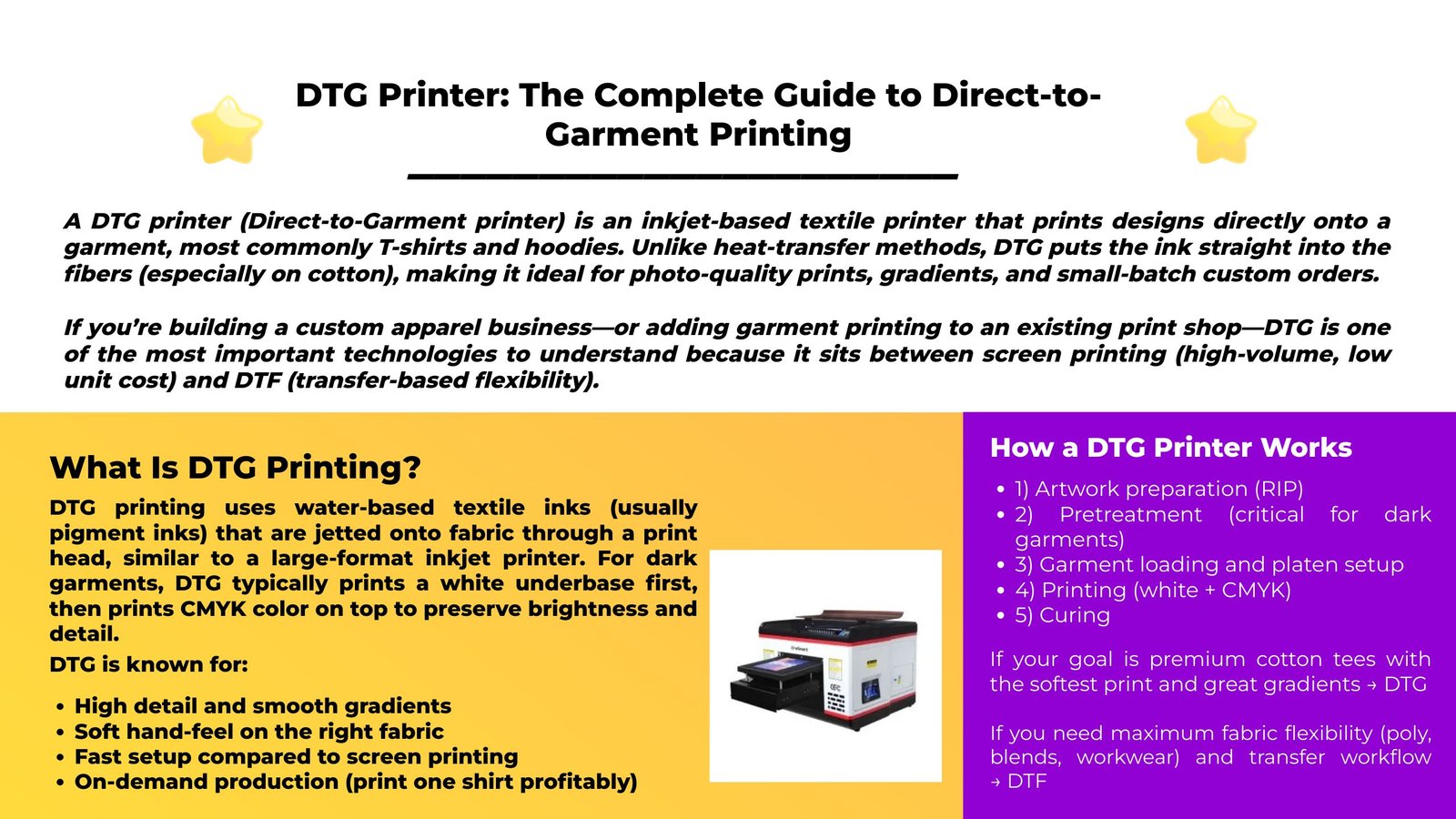
A DTG printer ( Direct-to-Garment printer ) is an inkjet-based textile printer that prints designs directly onto a garment , most commonly T-shirts and hoodies. Unlike heat-transfer methods, DTG puts the ink straight into the fibers (especially on cotton), making it ideal for photo-quality prints, gradients, and small-batch custom orders . If you’re building a custom apparel business—or adding garment printing to an existing print shop—DTG is one of the most important technologies to understand because it sits between screen printing (high-volume, low unit cost) and DTF (transfer-based flexibility).
DTG printing uses water-based textile inks (usually pigment inks) that are jetted onto fabric through a print head, similar to a large-format inkjet printer. For dark garments, DTG typically prints a white underbase first, then prints CMYK color on top to preserve brightness and detail.
High detail and smooth gradients Soft hand-feel on the right fabric Fast setup compared to screen printing On-demand production (print one shirt profitably)
Your design is processed by RIP software, which controls:
Ink limits (especially white) Pass count and resolution Color profiles for different garment types Underbase strategy for dark shirts 2) Pretreatment (critical for dark garments)
Pretreatment is a chemical solution applied to the garment to help:
White ink bond properly Colors appear vibrant Reduce bleeding and improve wash durability Pretreatment can be:
Manual (sprayer + heat press) Automatic (pretreat machine for consistent results) 3) Garment loading and platen setup
The shirt is stretched flat on a platen. Proper platen height and tension are essential for:
Sharp prints Avoiding head strikes Consistent registration 4) Printing (white + CMYK)
Light garments : often CMYK only (less prep, faster) Dark garments : white base first, then CMYK 5) Curing
Curing fixes the ink into the garment using a heat press or conveyor dryer, ensuring:
Better wash resistance Reduced tackiness Stable final color
DTG Printer vs DTF Printer (Quick Comparison)
DTG and DTF often compete for the same “custom T-shirt” market, but their strengths differ.
Feature DTG (Direct-to-Garment) DTF (Direct-to-Film Transfer) Best for Cotton, premium feel, photo prints Broad fabric compatibility (cotton/poly/blends), transfers Workflow Print on garment + cure Print on film + powder + cure + heat press Hand-feel Often softer on cotton Can feel slightly thicker depending on film/powder/ink load Dark shirts Needs pretreat + white base Typically easier on darks (still requires good settings) Small orders Excellent Excellent Maintenance Can be demanding (white ink) Also demanding (white ink + powder handling) Versatility Limited to garments (and some textiles) Transfers can go onto many garment types and some other fabrics Rule of thumb:
If your goal is premium cotton tees with the softest print and great gradients → DTG If you need maximum fabric flexibility (poly, blends, workwear) and transfer workflow → DTF
Cold lamination is especially useful when heat could cause damage or distortion, since it doesn’t require temperature to activate the adhesive.
Photos and inkjet prints (where heat can warp or affect inks) Vinyl graphics and wide-format posters Decals and labels UV DTF A/B film lamination (printing on film A, laminating with film B)
DTG performs best when ink can absorb and anchor into the fibers.
100% cotton (combed ringspun is excellent) High-quality cotton blends with high cotton content More challenging
Polyester-heavy garments (dye migration risk, adhesion issues) Low-quality, heavily textured, or “too fuzzy” fabrics Water-repellent or heavily treated fabrics If you plan to print on a wide range of synthetics, DTG may not be your only technology.
DTG Print Quality: What Makes It Look “Pro”
Professional DTG output isn’t just about the printer—most quality issues come from process control:
Pretreat consistency (evenness + correct amount) Correct curing time/temperature Platen height (too high/low causes blur or head strikes) White ink settings (opacity vs bleeding vs cracking) Humidity control (prevents clogging and inconsistent ink flow) Color profiles tuned for your garment brands
DTG Printer Costs: What You Should Budget For
DTG profitability depends on total cost per print , not just machine price.
Printer + warranty/service Ink (white ink is usually the biggest driver on dark shirts) Pretreatment fluid Maintenance supplies (cleaning solution, wipers, caps, filters) Curing equipment (heat press or conveyor dryer) Labor time (pretreat, load, print, cure, QA) What impacts cost per shirt the most
Coverage area (full-front uses much more ink than a small logo) White underbase usage (dark garments cost more) Rejects/reprints from pretreat or curing mistakes
DTG printers can produce amazing prints, but they demand discipline—especially with white ink.
Nozzle check + test print Short cleaning cycle (as needed) Keep capping station clean Keep printer environment stable (temperature/humidity) Agitate/recirculate white ink if your system requires it Weekly/monthly
Deeper cleaning routines Replace consumables (wipers, dampers/filters depending on model) Inspect platen and height calibration Why DTG clogs happen: White ink contains pigment that can settle. If the printer sits idle, clogs become more likely. A consistent routine is the difference between a profitable DTG shop and constant downtime.
Cause: Underbase too thin, bad pretreat, incorrect profile Fix: Adjust white density, improve pretreat evenness, recalibrate profiles
Cause: Over-pretreat or uneven spray, wrong press settings Fix: Use a consistent spray pattern, reduce pretreat volume, adjust press time/temp
Cause: Too much ink load, under-curing, wrong pretreat Fix: Tune ink limits, confirm curing parameters, verify pretreat level
Cause: Garment not flat, platen height wrong Fix: Re-load garment, reduce wrinkles, re-check height clearance
Cause: Idle printer, poor humidity, dirty cap/wiper Fix: Daily nozzle checks, stabilize environment, keep cap/wiper clean
Before buying, decide what you’re optimizing for: speed, quality, reliability, or lowest upfront cost.
How many shirts per day/week? Mostly light shirts or dark shirts? Small logos or full front prints? 2) Print size and platen system
Standard adult platen vs oversized prints Sleeve/neck label platens for upsells Quick-change platens reduce downtime 3) White ink management
White ink circulation/recirculation design Easy maintenance access Strong support documentation 4) Pretreat workflow
If you print dark shirts daily, budget for:
A consistent pretreat method Either a good manual station + technique or an automatic pretreat unit 5) Service and parts availability
DTG is a maintenance-heavy category. Fast parts + knowledgeable service can matter more than tiny spec differences.
You sell on-demand custom tees (Shopify/Etsy/marketplaces) You need photo prints or complex artwork You do small batch runs for events, bands, creators You want a premium look on cotton garments DTG is less ideal when:
You need the lowest cost at high volumes (screen printing wins) Your garments are mostly polyester or performance wear (DTF or other methods may fit better) You want decals/transfers for many product types (UV DTF or DTF)
DTG stands for Direct-to-Garment , meaning the printer prints directly onto the fabric.
Light shirts: sometimes not required (depends on ink and garment) Dark shirts: typically yes, pretreat is essential for white ink performance Is DTG durable?
Yes—when pretreat and curing are done correctly. Most durability complaints trace back to process issues, not the technology.
DTG: best for small runs and high detail Screen printing: best for large runs with lowest unit cost Can DTG print on polyester?
Some systems can, but it’s generally more challenging than cotton due to dye migration and adhesion behavior. Test your exact garments.
A DTG printer is worth it if your business needs:
On-demand, high-detail garment printing Premium cotton results Fast setup and flexible order sizes To succeed with DTG, treat it like a production system, not just a machine: pretreat consistency + curing discipline + maintenance routine are what turn DTG into a reliable profit center.
EraSmart A3 DTG Printer T-Shirt Printing Machine
One model, fully optimized for stable white ink printing, anti-clog maintenance, and easy daily operation—ideal for custom apparel, small shops, and on-demand production.
Parameter Value Model EraSmart A3 DTG Printer (EraSmart-A3L) Print Size A3 (300 × 420 mm) Ink Channels CMYK + White (WW) Resolution Up to 5760 × 1440 dpi Print Height 0–130 mm (Infrared auto measurement) RIP Software AcroRIP